Senin, 26 September 2011

Soho

Contoh Kasus Pemrograman PABX Aria SOHO

By
Contoh kasus permintaan program Aria SOHO:
(3 CO line, 8 extention)
1. Nomer extention (station) dimulai dari 101-108
2. Untuk incoming call (ring):
CO1 = masuk/diterima oleh auto attendant
CO2 = 101,102
CO3 = 103,104,105,106,107,108
3. Untuk Outgoing Call:
Ext 101 = CO2, timer 3 menit, bebas telp ke SLI, SLJJ, lokal
Ext 102 = CO2, bebas timer, bebas telp ke SLI, SLJJ, lokal
Ext 103 = CO3, timer 3 menit, bebas telp ke SLI, SLJJ, lokal
Ext 104 = CO3, timer 3 menit, lokal
Ext 105 = CO3, timer 3 menit, lokal
Ext 106 = CO3, timer 3 menit, lokal
Ext 107 = hanya interkom tapi, bisa menelpon keluar menggunakan password
1234, lokal, timer 3 menit
Ext 108 = interkom
Penyelesaian:
Lakukan setting awal untuk pemrograman Aria SOHO
  1. Penomeran station/extension sudah dilakukan saat initialisasi pada langkah ke-2
  2. Untuk incoming call (ring):
    CO1 = masuk/diterima oleh auto attendant
    CO2 = 101,102
    CO3 = 103,104,105,106,107,108 CO1 masuk ke auto attendant:
    • Pada PGM 144: set CO 1 ke Voice Message 001 (dimana message 001 = greeting)
    CO2 = 101,102
    • Ubah PGM 144 ke menu CO2:
      Set / update / station assign (menu klik kanan): isi range 101 sampai 102 untuk day mode, dan sama untuk night mode.
    CO3 = 103,104,105,106,107,108
    Masih dari PGM 144 ke menu CO3, sama seperti mengeset untuk CO2 diatas.
    Atau bisa juga dengan melakukan penggroupan extension di PGM 190:
    • PGM 190 : groupkan extension 103,104,105,106,107,108 pada group 620
    • Dan pada atribut PGM 144, conteng group dan isi 620.dan kasus:
  3.  Untuk Outgoing Call:
    • Ext 101 = CO2, timer 3 menit, bebas telp ke SLI, SLJJ, lokal
    • Ext 102 = CO2, bebas timer, bebas telp ke SLI, SLJJ, lokal
    •  Ext 103 = CO3, timer 3 menit, bebas telp ke SLI, SLJJ, lokal
    •  Ext 104 = CO3, timer 3 menit, lokal
    •  Ext 105 = CO3, timer 3 menit, lokal
    •  Ext 106 = CO3, timer 3 menit, lokal
    •  Ext 107 = hanya interkom tapi, bisa menelpon keluar menggunakan password 1234, lokal, timer 3 menit
    •  Ext 108 = interkom
    Dari data didapat:
    Ext 101 = COS 1
    Ext 102 = COS 1
    Ext 103 = COS 1
    Ext 104 = COS 3
    Ext 105 = COS 3
    Ext 106 = COS 3
    Ext 107 = COS 8
    Ext 108 = COS 7
    Dari PGM 116:
    Ubah COS masing-masing extention sesuai data diatas, baik untuk mode
    day ataupun night.
Untuk timer:
Set di station attribut PGM 113.
Dan untuk kasus:
Ext 107 = hanya interkom tapi, bisa menelpon keluar menggunakan password
1234, lokal, timer 3 menit
Untuk setting COS dan timer sama di PGM 116 dan 113
Sedang untuk setting password (walking COS), buka di
PGM 227:
didapat ada 3 pesawat (index 4,5,dan 6) yang bisa dipakai untuk menelpon lokal.
maka isi dari salah satu extension yang dikehendaki untuk dipakai
sebagai walking COS.
isi di INDEX 4 password misal 1234.
Maka dari extention 108 bisa menggunakan priviledge extention 104
sebagai walking COS.
Untuk cara pemakaian walking COS :
Telp Digital:
Tekan tombol [Trans/PGM] – Tekan 2 3 – Masukkan password – Ambil line
dan dial no tujuan.
Untuk Telp SLT:
“563”(program code) + “23”
Dan untuk pembagian CO line keluar, dari data:
CO1 = hanya untuk menerima panggilan telephone
CO2 = hanya Ext 101 dan 102
CO3 = Ext 103,104,105,106,107,108
Sebenarnya Ext 108 tidak kebagian jatah line CO karena hanya bisa
interkom, sedang ext 107 itu menggunakan privacy dari extension 104.
Pada PGM 117 (CO group acces):
Pada group CO1, hilangkan semua conteng ( Uncheck) extension
Pada group CO2, Conteng (check) extention 101,102, dan hapus conteng
ext 103,104,105,106,107,108
Pada group CO3, hapus conteng (uncheck) extention 101,102, dan conteng
(check) semua dari ext 103 sampai 108.
Catatan: untuk merekam greeting voice message, default ada di port 2,
sedang untuk pemrograman via digital key ada di port 1.

Rabu, 21 September 2011

Product Linksys

IP PBX - Linksys Products


The IP PBX of our choice is trixbox.

trixbox® Community Edition (CE) telephony application platform is the open source software that has quickly become the most popular Asterisk®-based distribution in the world. trixbox CE combines the best of the open source telephony tools into one easy-to-install package, along with the trixbox dashboard which provides a web-based interface to configure and manage a complete IP-PBX system. The most flexible and customizable communications platform available.  Click here for a list of features...
  trixbox® (www.trixbox.com) is a registered trademark of Fonality, Inc.
_______________________________________________________________________________________________

  bulletServer for trixbox IP PBX software  
This server is a Mini ITX system used to install IP PBX software on.


  bulletLinksys SPA 962 IP Phone  
Full featured six line business class IP Phone supporting Power over Ethernet 802.3af. Dual switched Ethernet ports, Speakerphone, Caller ID, Call Hold, Conferencing, and more.  Appealing Four Inch, True Color Liquid Crystal Display (LCD).  Standard features on the Linksys SPA962 include six active lines, dual switched Ethernet ports, 802.3af PoE support, a high resolution color display, speakerphone, and a 2.5 mm head-set port. Each line can be independently configured to use a unique phone number (or extension), or can be configured to use a shared number that is assigned to multiple phones. The power supply for the SPA-962 is sold separately and will be required if PoE functionality is not implemented.
 
bulletLinksys SPA 942 IP Phone Standard features on the Linksys SPA942 include two active lines, dual switched Ethernet ports, 802.3af PoE support, a high resolution graphical display, speakerphone, and a 2.5 mm head-set port. With a simple software update, the SPA942 is upgradeable to a four line phone. Each line can be independently configured to use a unique phone number (or extension), or can be configured to use a shared number that is assigned to multiple phones. Full featured two or four line business class IP telephone supporting Power over Ethernet 802.3af.
larger image bulletLinksys SPA 901 IP Phone With hundreds of features and configurable service parameters, the SPA901 addresses the requirements of traditional business users while leveraging the advantages of IP Telephony. Features such as easy station moves and shared line appearances (across local and geographically dispersed locations) are just some of the many advantages of the SPA901.
 
larger image bulletLinksys SPA 932 Expansion Module  
The SPA932 easily attaches to the SPA962 IP Phone providing 32 programmable speed-dial or direct station select (DSS) buttons, each button illuminating the line’s status (idle, ringing, busy, or null) via the busy lamp field (BLF). Incoming calls received can be immediately transferred to the proper location with only the push of a button assigned to the extension on the SPA932.
 
larger image bulletLinksys WIP330 WiFi IP Phone  
The Linksys WIP330 Wireless-G IP Phone enables high-quality voice over IP (VoIP) service through a Wireless-G network and high-speed internet connection. Connect at home, your office, or at a public hotspot, and make low-cost calls through your office IP PBX.
The Linksys WIP330 features peer-to-peer dialing, speed dial, 3-way conferencing, call waiting, call transfer, and call forwarding, mute hold and selectable ringtones. You can also surf the Internet with the built-in web browser.
 
larger image
bulletLinksys RV042 10/100 4-Port VPN Router The 10/100 4-Port VPN Router also features a built-in 4-port full-duplex 10/100 Ethernet switch to connect four PCs directly, or you can connect more hubs and switches to create as big a network as you need.

The 10/100 4-Port VPN Router can serve as a DHCP Server, and has a powerful SPI firewall to protect your PCs against intruders and most known Internet attacks.


As the heart of your small office network, the connection-redundant Linksys 10/100 4-Port VPN Router gives you the connection reliability your business needs.
larger image
bulletLinksys SRW224P 24 Port 10/100 Switch with POE + (2) Gigabit Delivers reliable power over 10/100 Ethernet ports using IEEE 802.3af standard.
Secure management via SSH/SSL and secure user control via 802.1x & MAC filtering.
IGMP snooping, L2/L3 COS, queuing & scheduling makes solution ideal for Voice/Video.
Intelligent traffic management with Rate Limiting, Policing ACLs, and Storm control.
larger image
bulletLinksys WRV200 Wireless Router Enable a wireless network in a reliable, intelligent and SNMP managed way for your Small business. The inutitive web based interface allows you to easily set up the features of the WRV200. SNMP gives you the ability to remotely manage and monitor the device.

The RangeBooster technology provides increased range and reliability utilizing MIMO. The RF output allows flexible control of the wireless access coverage.
larger image
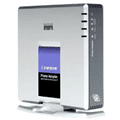
bulletLinksys PAP2T NA Analog VoIP Adapter Dual FXS The Linksys PAP2T Internet Phone Adapter enables high-quality feature-rich VoIP (voice over IP) service through your broadband Internet connection. Just plug it into your home Router or Gateway and use the two standard telephone ports to connect analog phones or use one of the ports for a fax machine. Also used for analog extensions off an IP PBX.

Voip B2B


Linksys PAP2 Phone Adapter for VoIP service 


Device Configuration Guides
Linksys PAP2-NA Phone Adapter
The Linksys Phone Adapter enables use of our high-quality feature-rich telephone service through your cable or DSL Internet connection. Just plug it into your home Router or Gateway and use the two standard telephone jacks to connect your existing phones. Each phone jack operates independently, with separate phone service and phone numbers -- like having two phone lines. With InPhonex, you'll get clear telephone reception, even while using the Internet at the same time for normal data operations.
 
STEP 1
You must first determine what IP address it received. To do this, you need to pick up the phone attached to the Line 1 jack and dial:   **** (four asterisks)
then dial:  110 #

and you will be told the IP address of your device (e.g. 192.168.0.100).


STEP 2
Go to any browser equipped computer on your network and enter the address:

http://<IP ADDRESS>/

(where <IP ADDRESS> is replaced by the address that was given to you in STEP 1.

STEP 3
Click on the "Admin Login" button near the top right side of the screen, then click on the "Line 1" tab.
Linksys PAP2 Configuration


STEP 4
You need to modify only a few parameters from the factory default. They are listed here:
Proxy:   sip.inphonex.com
Display Name:   Enter your full name, this will show up as part of your callerid.
User ID:   Enter the phone number you chose when you signed up for InPhonex service.
Password:   Enter the password that you chose when you signed up for InPhonex service.
Register Expires:   3600
Linksys PAP2 Configuration

STEP 5
To save bandwidth, you can change Line 1 "Preferred Codec" to G729a. Also change the "Use Pref Codec Only" to No. You can only do this for one line. So, if Line 1 is on G.729a, Line 2 has to be some other codecs.
Linksys PAP2 Configuration


STEP 6
Click on the "Save Settings " button at the bottom of the form.
Linksys PAP2 Configuration


STEP 7
Make calls!

IP PBX


Menghilangkan sakit kepala PBX dengan IP Phone System 3CX!

Berevolusilah komunikasi Anda dengan Sistem Telepon 3CX untuk Windows - Sistem IP Phone yang benar-benar menggantikan PBX milik Anda, mendukung standar telepon SIP lembut / keras, layanan VOIP dan tradisional PSTN saluran telepon. Sistem Telepon 3CX jauh lebih mahal daripada PBX tradisional dan dapat mengurangi biaya panggilan secara substansial dengan menggunakan penyedia layanan VOIP. Administrasi berbasis web yang membuat ponsel manajemen sistem yang mudah. Sistem Telepon 3CX menghilangkan jaringan kabel telepon dan memungkinkan pengguna untuk dengan mudah bekerja jarak jauh.

Fitur Utama:

     Sistem telepon Lengkap - Menyediakan beralih panggilan, routing & antrian
     Biaya pembelian secara dramatis lebih rendah dari PBX perangkat keras tradisional
     Scalable - ekstensi Unlimited dan saluran telepon. Tidak ada ekspansi kepemilikan modul yang dibutuhkan!
     Konfigurasi berbasis web & status indikasi - telepon sistem manajemen Mudah!
     Komunikasi terpadu - Menerima pesan suara melalui e-mail & melihat keberadaan pengguna
     Auto attendant (misalnya 1 untuk penjualan, 2 untuk dukungan, dll)
     Mengurangi jarak jauh dan biaya panggilan antar kantor
     Tidak ada telepon lebih mahal sistem berpemilik - Gunakan telepon standar SIP
     Hilangkan kabel telepon dan membuat kantor bergerak lebih mudah
     Kontrol panggilan yang mudah, kehadiran dan manajemen ekstensi
     Klik untuk Dial & Panggil Pop-up untuk Microsoft Outlook
     Menerima & Membuat panggilan melalui PSTN Gateway standar menggunakan VOIP atau kartu
     Menghemat biaya panggilan bulanan menggunakan SIP batang, penyedia layanan VoIP atau Skype Connect!
     Keluar dari kotak konfigurasi untuk penyedia VOIP banyak, VoIP Gateway, Skype ™ dan IP Phone.

Lihatlah brosur atau download edisi gratis hari ini dan membebaskan dari PBX milik Anda!